

TL;DR: Intel Binary Optimization Tool now supports 7 more games, bringing the total to 19 supported titles. Get average performance improvements of up to 12% across the new games, and as much as up to 27% faster performance in Hollow Knight: Silksong. Download the latest Intel Platform Performance Package version 26.06.100.32 for these updates.
Designed to unlock more performance after a game has already shipped, Intel Binary Optimization Tool helps your Intel® Core™ Ultra 200S Plus and 200HX Plus and Intel® Core™ Ultra (Series 3) based systems run supported titles more efficiently—no patches, no source code access, and no complex tuning required.
And now, support is expanding.
What Is Intel Binary Optimization Tool?
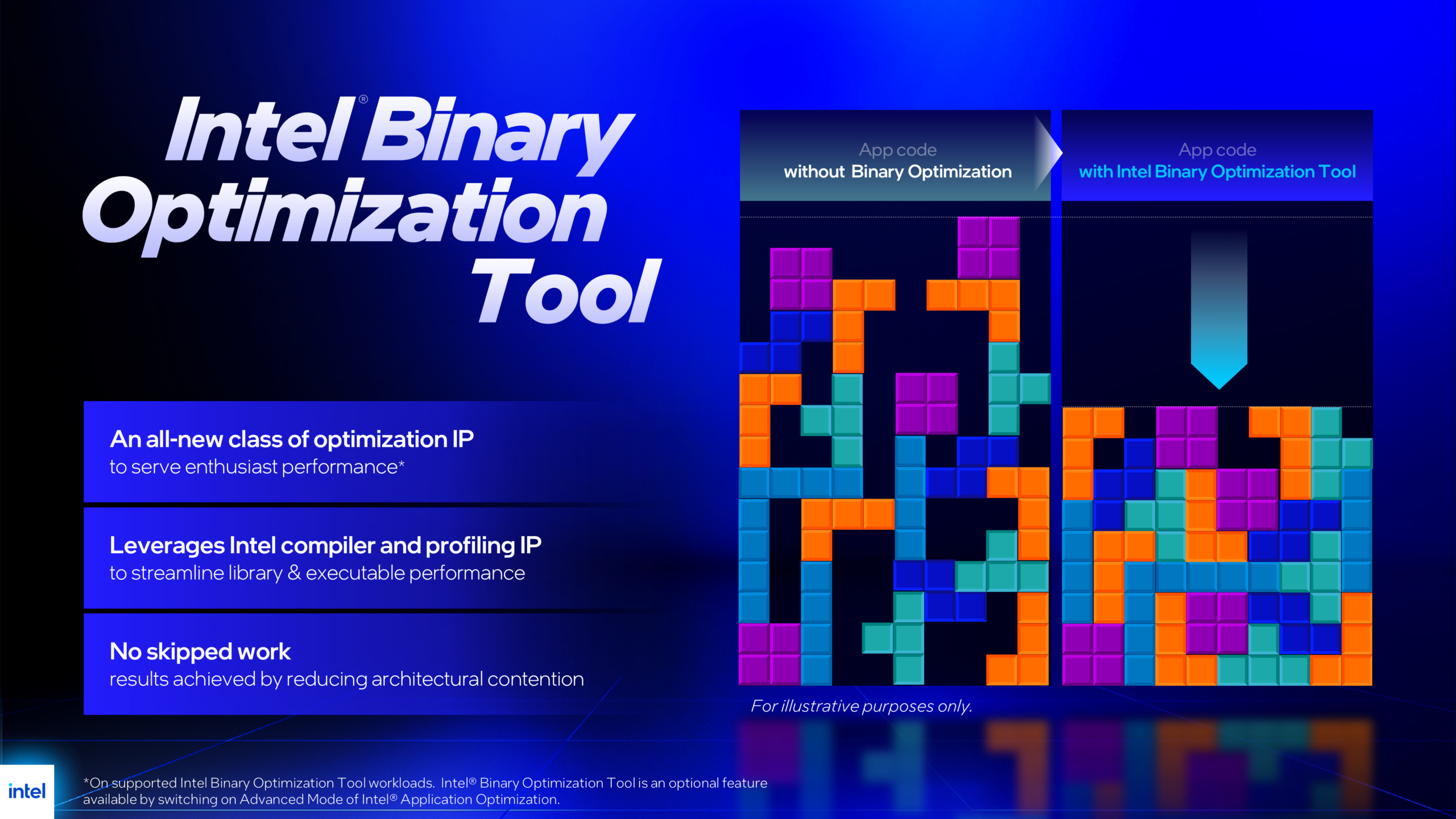
Intel Binary Optimization Tool is a new performance technology designed to improve how applications run on Intel processors by streamlining the game files.
Instead of relying on developers to optimize code post-launch, Intel Binary Optimization Tool analyzes how a game’s machine code behaves on Intel hardware and intelligently redirects certain workloads through optimized execution paths. The result is smoother gameplay, improved responsiveness, and better utilization of your processor’s capabilities.
For gamers, that means more performance from the games they already play, without relying solely on developer-side updates.
New Games Coming to Intel Binary Optimization Tool
Intel Binary Optimization Tool game support continues to grow. The latest update introduces 7 additional games, bringing the total to 19, delivering performance improvements to even more players.
Newly supported titles:
- Hollow Knight: Silksong
- Homeworld 3
- Little Nightmares III
- Metro Exodus Enhanced Edition
- Ori and the Will of the Wisps
- The Callisto Protocol
- Warframe
What Kind of Performance Can You Expect?
Performance gains vary by game, system configuration, and each title’s baseline optimization. Here’s what you can expect with Intel Binary Optimization enabled:
- Up to 27% faster FPS in Hollow Knight: Silksong
- Average 12% performance improvement across the new supported games
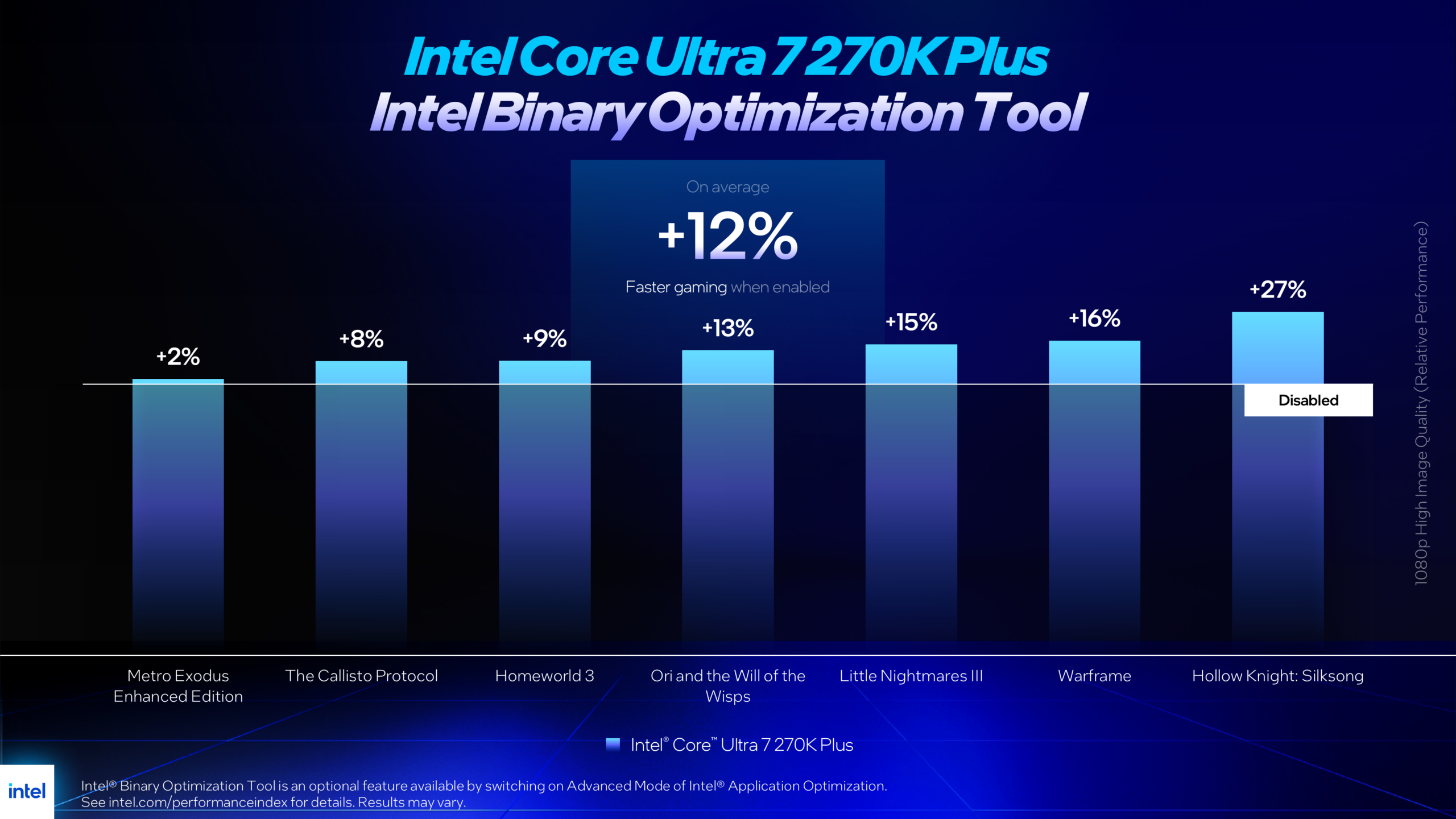
Intel Core Ultra 7 270K Plus processor frame rate improvements with Intel Binary Optimization Tool enabled
This is performance you don’t need to tweak, tune, or monitor, it integrates seamlessly into your system once enabled.
Easy to Enable. Easy to Enjoy.
To get the Intel Binary Optimization Tool and the latest supported game updates: Download the Intel Platform Performance Package
- Download and install the Intel Platform Performance Package version 26.06.100.32
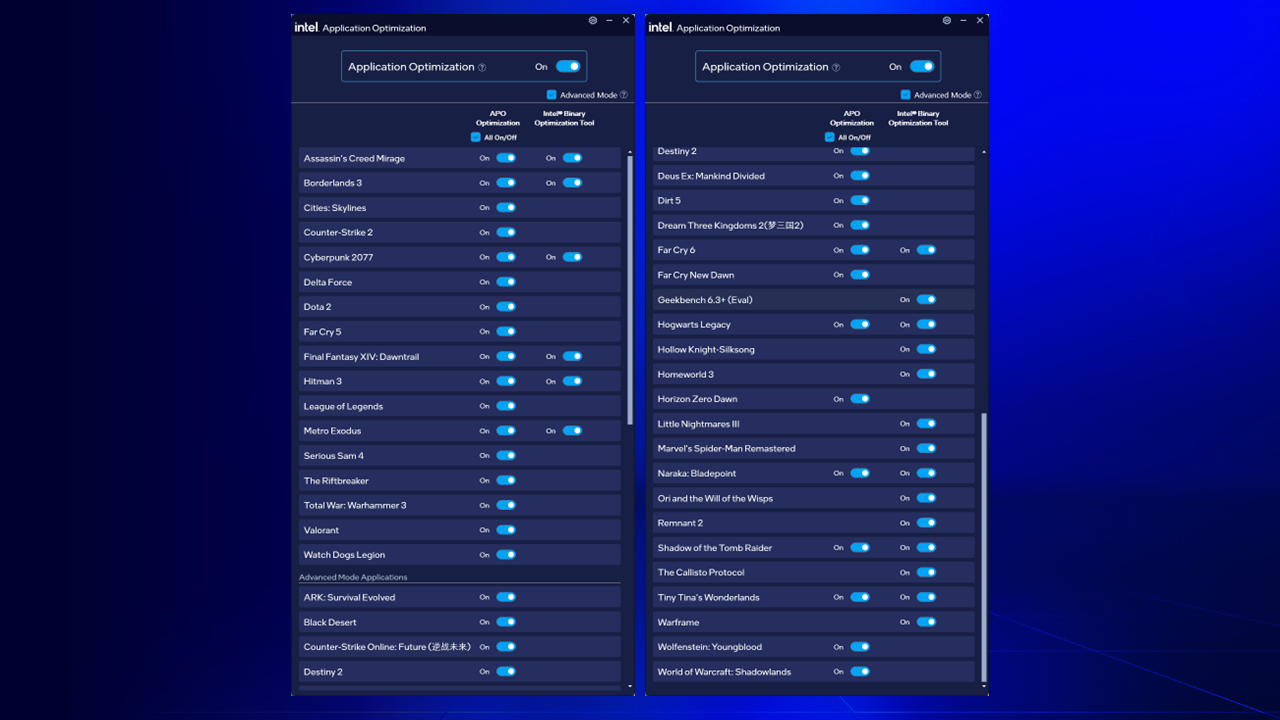
- Open the APO UI and enable advanced mode, located under the main “Optimization” toggle
- Toggle Intel Binary Optimization Tool on
- Reboot your system
- Fire up your Intel Binary Optimization Tool-supported game and GLHF
Note: Even if you’ve previously installed the Intel Platform Performance Package, you’ll need the newest version to access the latest IBOT-supported games.
Compatible Processors
[Supported processors list edited 6/8/2026 at 1:31PM PT]
- Intel® Core™ Ultra 7 270K Plus
- Intel® Core™ Ultra 5 250K Plus
- Intel® Core™ Ultra 5 250KF Plus
- Intel® Core™ Ultra 9 290HX Plus
- Intel® Core™ Ultra 7 270HX Plus
- Intel® Core™ Ultra 9 386H
- Intel® Core™ Ultra 7 356H