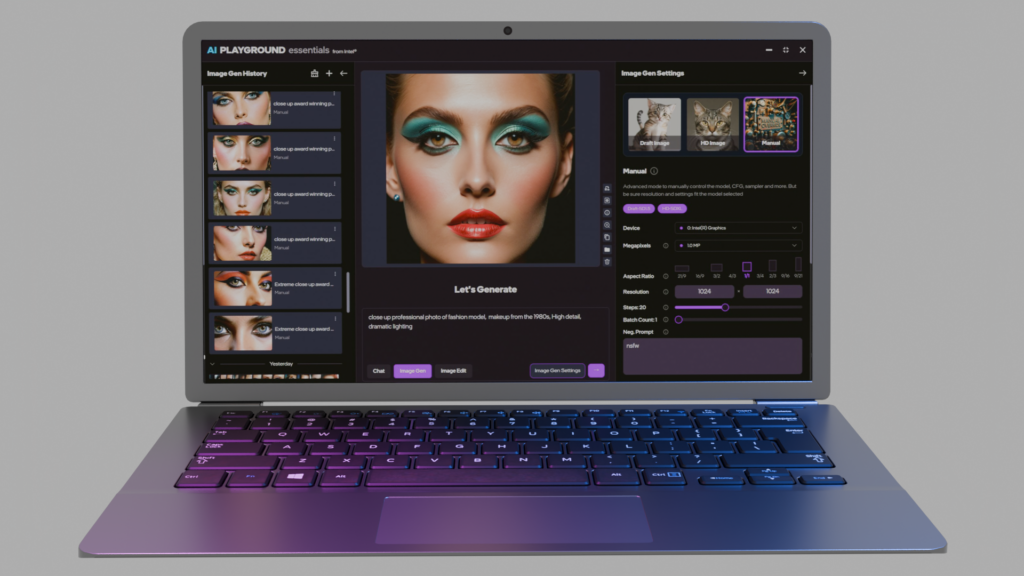
AI Playground from Intel, now supports Intel® Core™ Series 3 Processors with AI Playground Essentials now available in the 3.1.0 alpha release, starting April 16th 2026. This variant of AI Playground, is a targeted installation for Intel Core Series 3 PCs, with at least 12GB of system memory, providing curated features and models for the Intel Core Series 3 Processors. AI Playground Essentials delivers the same convenient and easy to run AI Playground experience, while also ensuring the features and workloads are best suited for the platform. AI Playground’s convenient point and click experience allows mainstream users to explore a variety of AI inferencing features locally, with confidence and control without expensing costly tokens from cloud subscriptions.
AI Playground Essentials is installed using the main AI Playground application, starting with version 3.1.0 alpha. With this version the AI Playground installer will detect your hardware and offer you either the essentials or studio versions of AI Playground. Choosing essentials will ensure the features, models and experience is best suited for Intel Core Series 3 systems. AI Playground Essentials is recommended for systems with at minimum 12GB of system memory.
Download AI Playground 3.1.0 alpha :https://intel.com/ai-playground
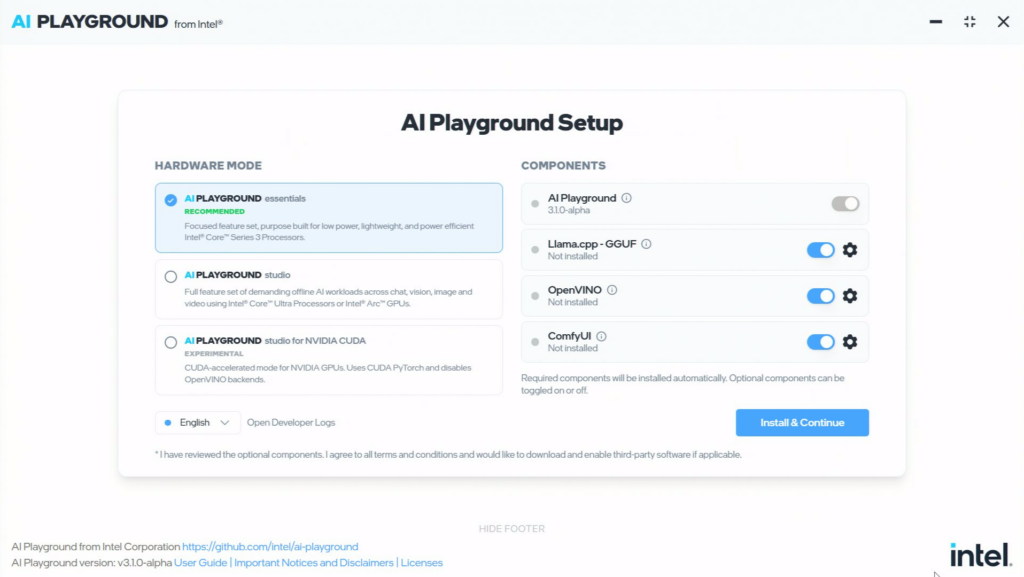
Setup in version 3.1.0 alpha, will auto recommend installation of AI Playground Essentials for Intel Core Series 3 Processors
AI Playground Essentials Features
Chat: The Chat mode is available, powered by either Llama.cpp or OpenVINO, allowing users to select a broad set of models in GGUF format or choose hardware optimized versions with OpenVINO.
- Basic Chat: Allows for knowledge query on science, math, history and other disciplines
- Chat with RAG: RAG chat allows users to conveniently search, summarize or get expert insight into documents located on the PC.
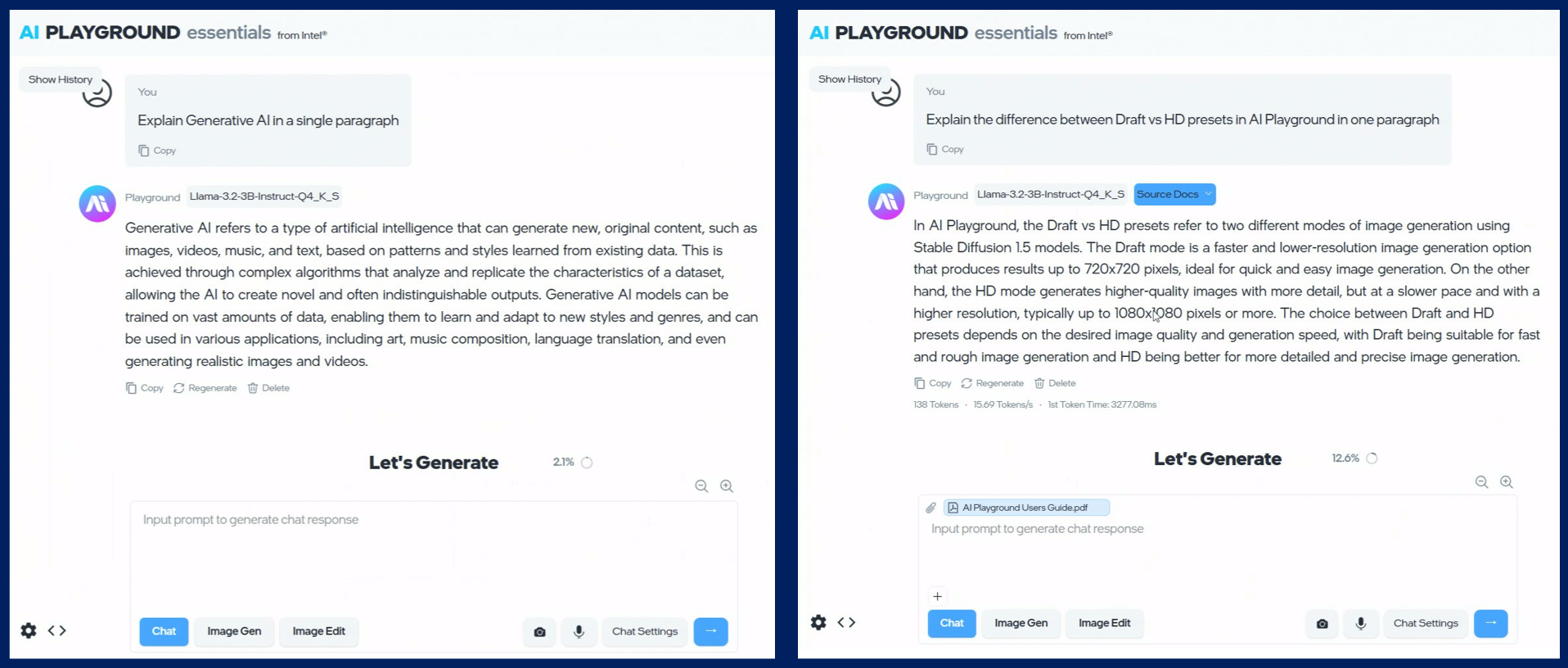
AI Playground Essentials Chat: Basic Chat knowledge query on the left, Chat with RAG showing document search on the right.
Image Gen: Image Gen allows users to generate original images based on a descriptive prompt of varying resolution and dimensions. with a safety checker setting able to control the level of NSFW images produced.
- Draft Image: Draft Image allows users to very quickly generate draft image idea, from .25 to .5 megapixel resolution. Draft generates images using the Dreamshaper model based on Stable Diffusion 1.5. These images tend to look artistic and painterly. Draft produce images in two modes FAST and STANDARD. FAST reduces steps from 20 to 4 producing an image in 1/5th the time but with less detail and quality.
- HD Image: HD Image allows users to generate higher resolution, 1 megapixel images, with great detail and control. This feature uses the JuggernautXL model based on SDXL, which can be up to 4x pixels compared to Draft, thus will take longer to generate. The HD preset also allows for both FAST and STANDARD image generation.
- Manual Mode: Manual mode allows users to generate images using alternative SD 1.5 or SDXL checkpoints and LoRAs, Such models can be found and downloaded from CivitAI or Huggingface websites. Manual mode allows a user to run alternative models with a preferred scheduler and sampler setting. Manual mode can allow a user to be more targeted toward a specific subject or style of image.
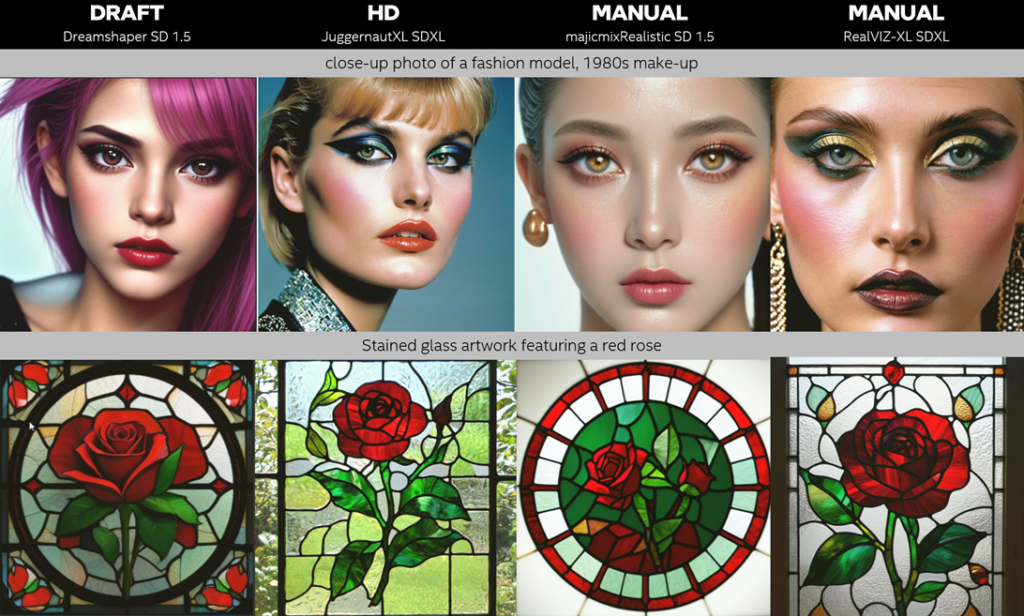
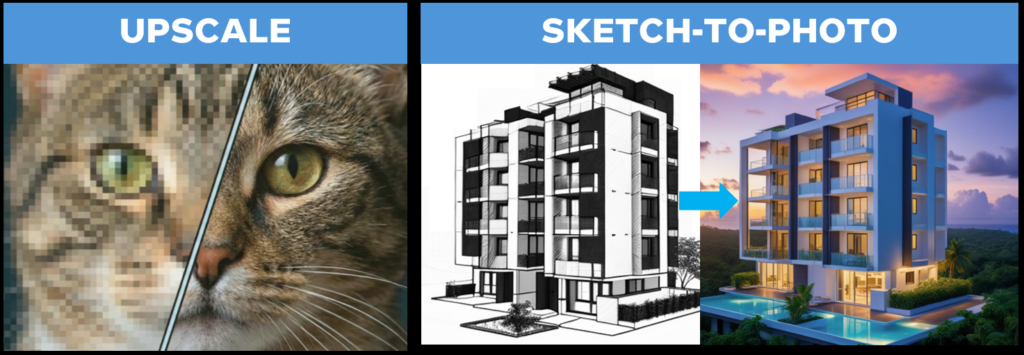
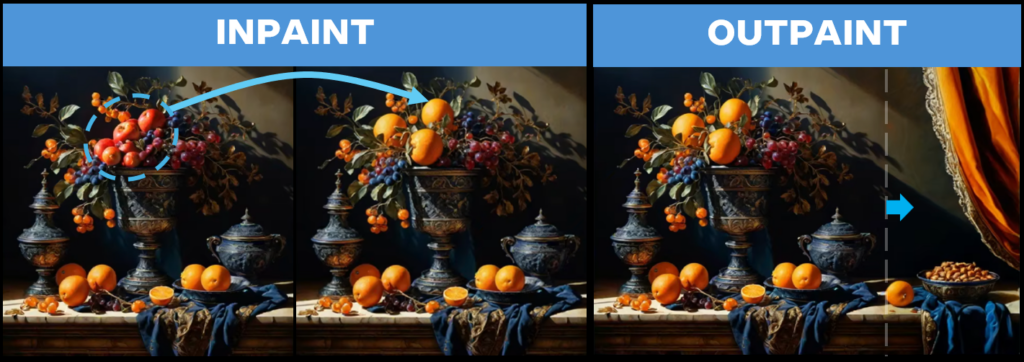
Image Edit: Images from AI Playground or from your PC can be editing by dragging them to the Image Edit prompt, or by using the camera feature to capture an image to edit.
- Upscale: Upscale preset allows images to be upscaled up to 4 times their original size
- Sketch To Photo: Generates photo realistic images based the input image of a sketch or drawing
- InPaint: Mask an area of an image, then describe what should change or replace the masked area
- Outpaint: Define an area outside of the image to fill and generate content beyond is borders in the style and look of the original
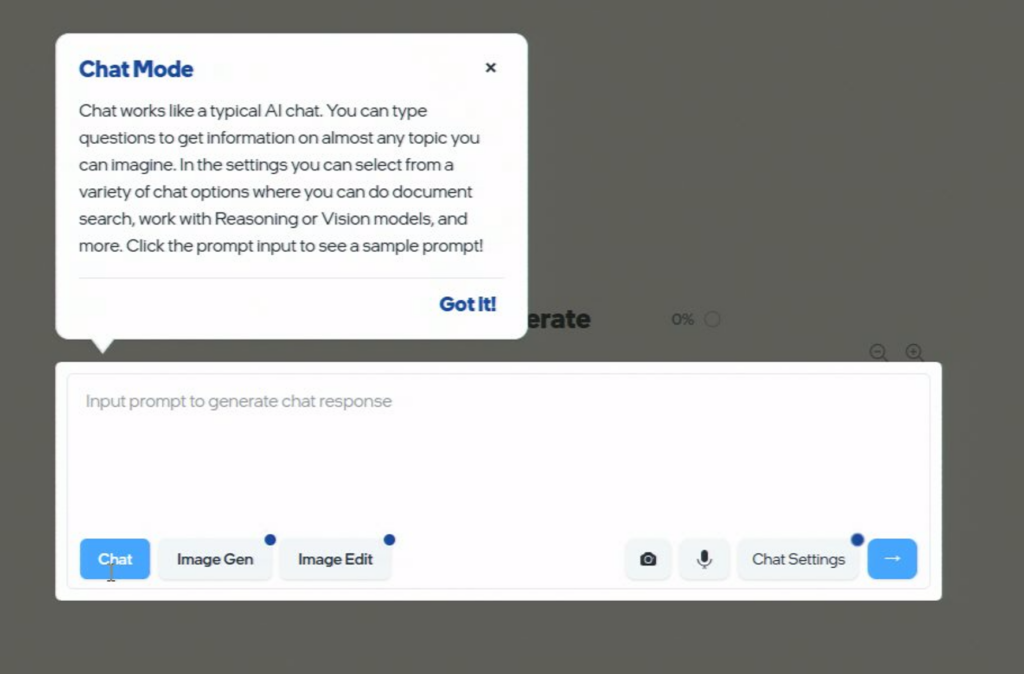
Demo Mode: AI Playground Essentials also comes with a demo mode, allowing people in educational, marketing, or attendee free environments to test drive the application. The following features are activated in demo mode.
- Tool Tips: All core features provide a tip describing how that feature is used
- Sample Prompts: each mode comes with a sample prompt you can select to see that feature in action
- Enhanced Safety: In demo mode, image preview is off – ensuring NSFW prompted images are not previewed before final generation. SafetyChecker is set to maximum, ensuring undesired prompts do not result in NSFW content on the system
- Reset Time: A timer will reset the experience to all defaults, when unattended and not use
- Operator Toggle: An operator can set a password allowing them to toggle in and out of demo mode using a secure password
AI Playground Studio (3.1.0a):
Along with the 3.1.0 alpha release is an installation path for AI Playground Studio targeting systems with supported Intel Core Ultra Processors and Intel Arc GPUs. AI Playground Studio is the new variant name for the full set of AI Playground features including support for Pro image gen presets, EditByPrompt, Agentic Chat and more. Upon installation AI Playground will detect your hardware and provide a recommendation for either the Essentials or Studio installation. Watch the demo reel video for key features of the Studio version. Additionally, the release of version 3.1.0a includes the following features for AI Playground Studio.
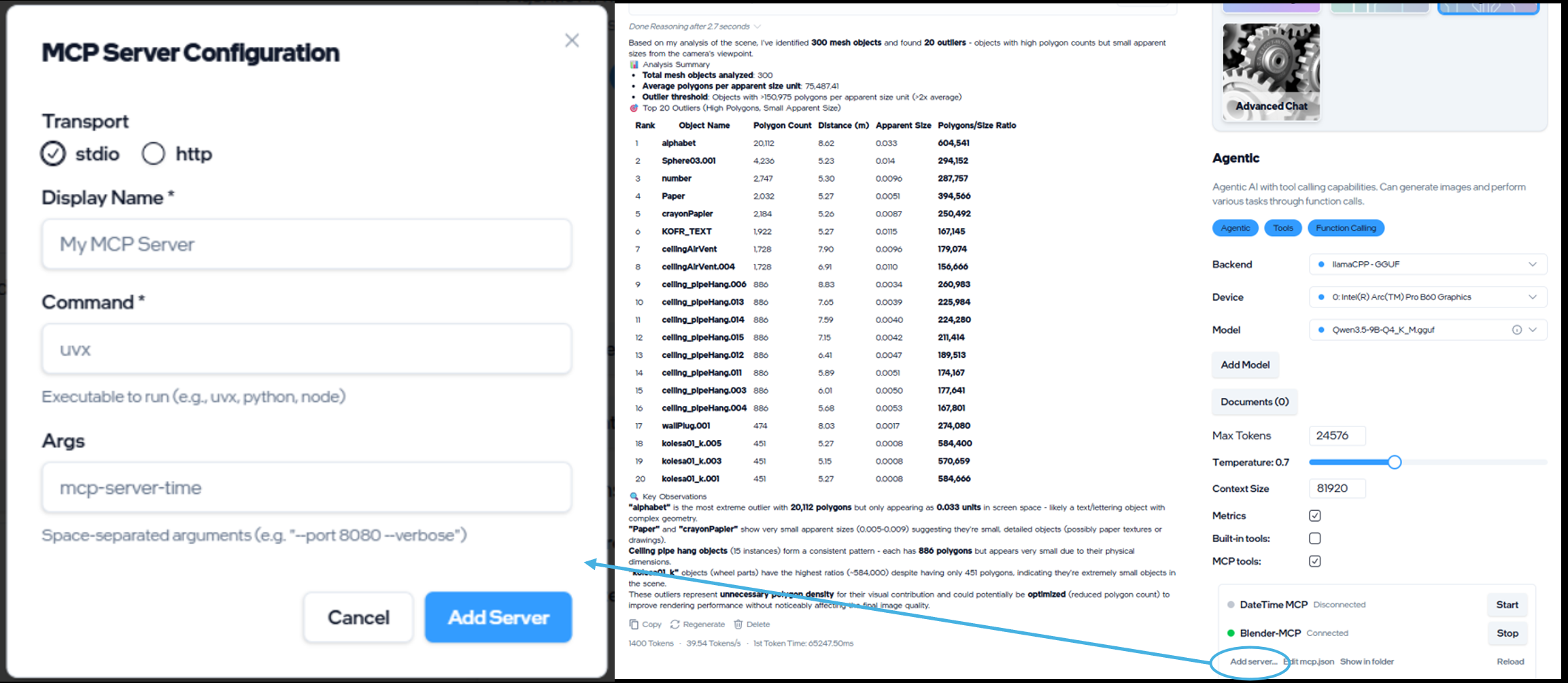
- MCP support: Agentic Chat now includes MCP server support, allowing you to extend AI Playgrounds to 3rd party applications with MCP servers.
- Gemma 4 model support: Gemma4-E4B and Gemma-4-26B (MOE) models are now available for the Llama.cpp backend
- Nvidia RTX support (experimental): Studio version now includes the option to run AI Playground features on Nvidia GPUs with CUDA support. This installation option will change device selections options. If selected and installed Nvidia GPUs will be supported via Llama.cpp in Chat and for Image Gen, Image Editing and Video. OpenVINO is not an option with this installation mode.